
Make free website
Published: December 3, 2025
Creating your own website has never been more accessible. With platforms like WordPress, a free content management system that currently powers over 43% of all websites on the internet, even beginners can build a site without investing in expensive development services. In this guide, we’ll walk through how to create a free website step-by-step using WordPress and the free Elementor page builder plugin.
WordPress will serve as the foundation of your site, while Elementor will act as the visual page editor that lets you design pages via drag-and-drop, with no coding required. This approach is geared towards entrepreneurs and beginners who want a do-it-yourself solution for establishing an online presence. We’ll also highlight the benefits and limitations of this method, so you know exactly what to expect.
Step 1: Install WordPress
Once you have your hosting ready, the next step is to install WordPress. Many hosting providers (including free ones) support one-click WordPress installation, look for an option like “Install WordPress” in your hosting control panel. Initiate the WordPress install, set your site title, and create your admin username and password. In a few minutes, the host’s installer will set up the WordPress software for you.
After installation, you’ll be able to log into your site’s WordPress dashboard (typically via yourdomain.com/wp-admin) using the admin credentials you created. This WordPress dashboard is where you manage everything about your website, adding pages, uploading media, changing settings, and installing plugins or themes. Out of the box, WordPress comes with a basic theme and some default content. Next, we’ll extend its functionality by adding Elementor, which will greatly simplify the design process.

Step 2: Install the Elementor Page Builder Plugin
Elementor is a plugin for WordPress that serves as a powerful page builder. It’s extremely popular with over five million active installations, Elementor is one of the most widely used WordPress page builder plugins. The appeal of Elementor lies in how it lets you create professional-looking pages using an intuitive drag-and-drop interface, without needing any coding skills. The free version of Elementor comes packed with enough features to build a solid website: it includes over 40 widgets (page elements like headings, text boxes, images, buttons, etc.) and 100+ design templates to help you get started.
To install Elementor, go to Plugins > Add New in your WordPress dashboard. In the search field, type “Elementor”, you should see “Elementor Website Builder” in the results. Click Install Now, then Activate. Once activated, the plugin will add a menu item for Elementor in your dashboard, and you’re ready to use it for building pages.

Step 3: Basic Page Editing with Elementor
With Elementor installed, you can start designing the pages of your website. A good way to begin is by creating your homepage. In the WordPress dashboard, navigate to Pages > Add New. Give your page a title (for example, “Home”), save it as a draft, and then click the Edit with Elementor button. This will launch the Elementor editor, which is split into two areas: a left sidebar with a list of elements (widgets) and settings, and a right area which is a live preview of your page.
The Elementor drag-and-drop editor lets you design pages visually by arranging elements and seeing changes in real time.
Now you can add elements to your page by dragging them from the left sidebar onto the preview on the right. For instance, you can drag a Heading element to add a title, drag an Image element to add a picture, drop in a Text Editor for paragraphs, and so on. You can then click any element to customize its content and style – edit text, change colors and fonts, adjust alignment, replace images, etc. All these changes appear instantly in the preview, so you can design iteratively and see exactly how your page will look. Elementor also provides pre-designed templates and section blocks that you can import with one click. If you prefer not to start from scratch, you could load a full page template (for example, a “Contact Us” page design) or insert block templates (like a pre-made header or testimonial section) and then modify the text and images to fit your needs.
Once you’re happy with the design, click Publish (or Update if it’s an existing page) to save your changes. Your WordPress site will now display the page you built with Elementor. You can repeat this process to create other pages such as an “About Us” page or a “Services” page. WordPress will handle the navigation menu automatically by adding new pages, but you can customize the menu under Appearance > Menus if needed. In just a few hours of using WordPress and Elementor, you can have a functional website ready, all without writing a single line of code.

Advantages of This Approach
Using WordPress with the free Elementor plugin offers several benefits, especially for those starting out or working with a tight budget:
- Zero Cost Setup: The method described is essentially free – the WordPress software costs nothing, Elementor has a robust free version, and you can use free hosting. This means you can establish an online presence without any upfront financial investment, which is ideal for testing a business idea or launching a personal project.
- No Coding Needed: Elementor’s drag-and-drop builder is designed so that you don’t need any programming knowledge. You can layout pages and create a custom design visually. This lowers the barrier to entry for creating a website, making it possible for someone with no web development experience to build a site.
- Rich Feature Set: Both WordPress and Elementor provide a wealth of functionality. WordPress has thousands of free plugins and themes to extend your site, and Elementor (free) comes with dozens of widgets and templates that cover most basic website needskinsta.com (contact forms, image galleries, social media icons, etc.). In short, the free tools are powerful enough to create a very functional site.
- Full Control & Flexibility: Unlike proprietary site builders, with WordPress you retain full control over your website and its data. If your project grows, you can upgrade pieces of this setup (for example, move to a paid hosting plan for better performance, purchase a custom domain, or upgrade to Elementor Pro) without having to rebuild the site from scratch. This approach lets you scale up gradually – you start free and only invest when you need to.
- Community Support: WordPress has a massive global community, meaning that for almost any question or issue, an answer likely exists on forums or guides. Elementor also has an extensive user community and documentation. While free plans don’t come with official support, the community resources available online can help you troubleshoot and learn as you go.
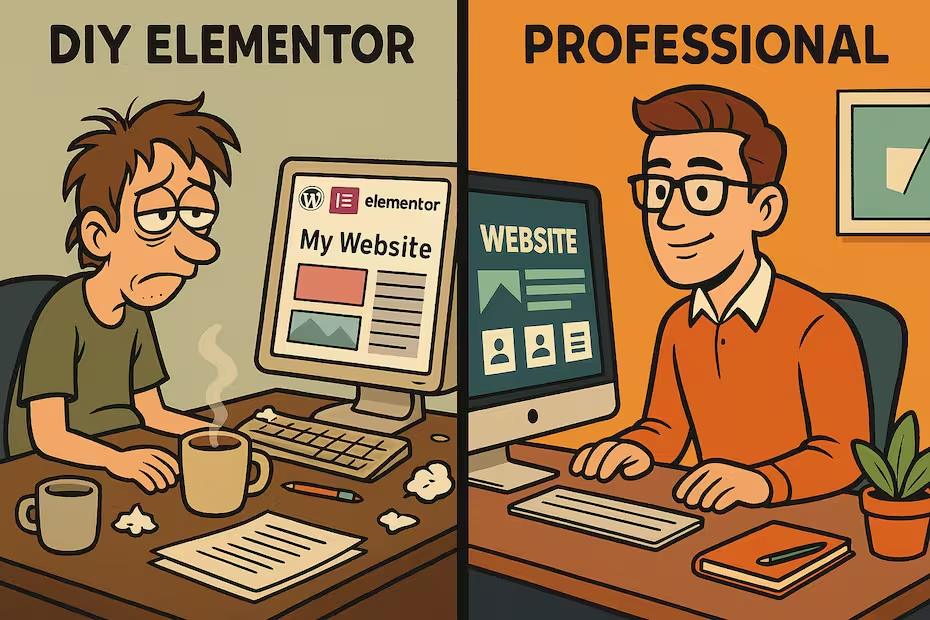
Limitations to Consider
It’s important to be aware of the limitations and trade-offs when building a free WordPress site with Elementor, so you can manage your expectations and plan accordingly:
- Limited Resources & Performance: Free hosting plans impose strict limits. You’ll have a small amount of disk space (e.g., a few hundred MB) and a cap on monthly bandwidth. This might be fine for a low-traffic or simple site, but it won’t support high traffic volumes or very media-heavy content. Websites on free hosting often load slower and might have more frequent downtime (lower reliability) compared to those on quality paid hosting. In other words, your site’s speed and uptime may not be ideal if you rely on a free server.
- No Custom Domain (by default): With a purely free setup, your site’s address will be a subdomain of the hosting provider (for example, mybusiness.000webhostapp.com). A personalized domain (like mybusiness.com) is generally not included for free. Using a subdomain can look less professional and is harder for customers to remember. If branding is important, you might eventually want to invest in purchasing a custom domain name and linking it to your site.
- SSL Certificate and Security: Most serious websites use an SSL certificate (HTTPS) to secure data transfer and signal trustworthiness to visitors (the padlock icon in browsers). Free hosting services often do not include an SSL certificate by default on their free plans. This means your site could show up as “Not Secure” in browsers, which isn’t ideal, especially if you plan to have users submit information. While you can find free ways to enable SSL (such as using Cloudflare or Let’s Encrypt), it requires additional setup. Moreover, free hosts might not offer other advanced security features or regular backups unless you upgrade.
- Elementor Free Limitations: The free version of Elementor is powerful, but it doesn’t have everything. Some advanced design capabilities (like building custom headers/footers, certain widgets like forms or sliders, and a larger library of templates) are reserved for Elementor Pro. While you can absolutely build a great basic site with Elementor Free, you might find yourself wanting some features that are only available in the paid version or via additional plugins.
- DIY Maintenance and Support: By building the site yourself, you’re also in charge of maintaining it. Free hosting comes with no customer support, so if your site goes down or if you encounter server issues, you’ll have to figure it out on your own. Similarly, you’ll need to keep your WordPress installation and plugins updated (updates are released frequently for security and improvements – updating is one-click easy, but you have to remember to do it). If something breaks, you’ll rely on community forums and documentation for help. For busy entrepreneurs, this maintenance aspect can be a downside, as it requires time and a bit of technical learning.
- Professionalism and Branding: A free website has inherent limitations in terms of polish and credibility. As mentioned, having a generic subdomain and potentially slower site performance can make your business appear less established. There might also be subtle branding from the host (some free hosts add a small footer credit or promotion, though 000webhost, for instance, does not inject ads which is good). For a personal blog or a proof-of-concept site, these trade-offs are usually fine. But for an established business, a site that loads slowly or looks obviously “do-it-yourself” on a free host might not instill confidence in your audience. In fact, due to security and resource concerns, free hosting is not recommended for serious business websites, as it can lead to a poor user experience if the site is frequently slow or offline.
Despite these limitations, building a free site is a fantastic learning experience and can be the perfect springboard for getting your idea online. You can start here, get a feel for managing a website, and always upgrade pieces of your setup as your needs grow.
Conclusion
By following the steps above, you’ve seen that it’s entirely possible to make a functional website for free using WordPress and Elementor. This DIY approach lets you experiment with design and content at no cost, making it ideal for beginners who want to get a website up quickly, or entrepreneurs validating a concept before investing more heavily.
Need professional help? It’s important to remember that free solutions do come with their drawbacks. If you reach a point where you want an even better, faster, or more polished website, one that truly reflects your brand and provides a top-notch user experience, don’t hesitate to contact Web Dance Development. Our team can assist you in creating a professionally developed website, handling everything from custom design and your own domain to optimized speed and security. You’ll save time and ensure that your online presence meets the highest standards, so you can focus on growing your business.
New web is waiting for you
We turn your website visitors into euros. Contact us and increase your profits today!